Welcome to the Springbig + HerbMail Integration Guide!
In this guide, you’ll learn how to seamlessly connect your HerbMail data with Springbig to enhance your customer insights and engagement.
We’ll walk you through:
Setting up the HerbMail integration within your dashboard
Adding your API credentials, authentication tokens and configuring a custom group connection
Publishing the Springbig IR pixel connection
Verifying your integration and viewing key engagement data in Springbig
Let’s get started!
Springbig + Herb Integration Guide
User interface is subject to change at the discretion of your POS provider. For the most accurate and up-to-date information, please consult your POS provider directly.
Setting up the Herbmail Integration
Start by logging into the HerbMail system
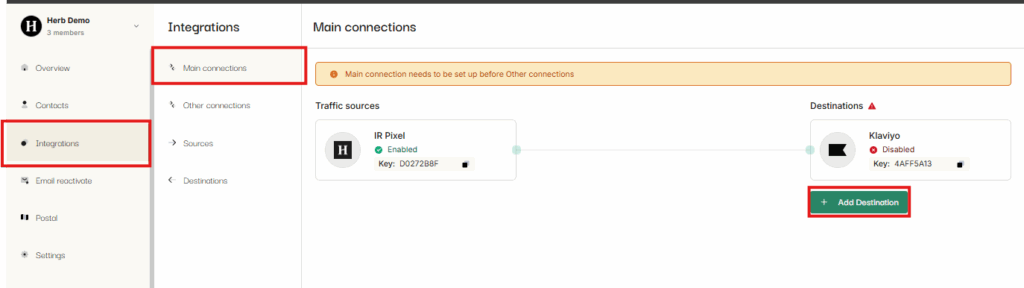
Go to the integrations tab on the HerbMail Dashboard
Click Main Connections
Click Add Destination
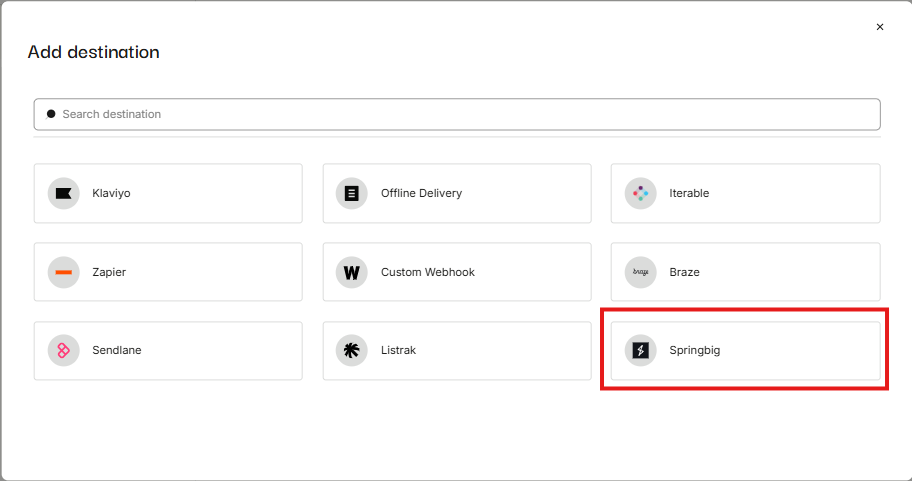
Select Springbig
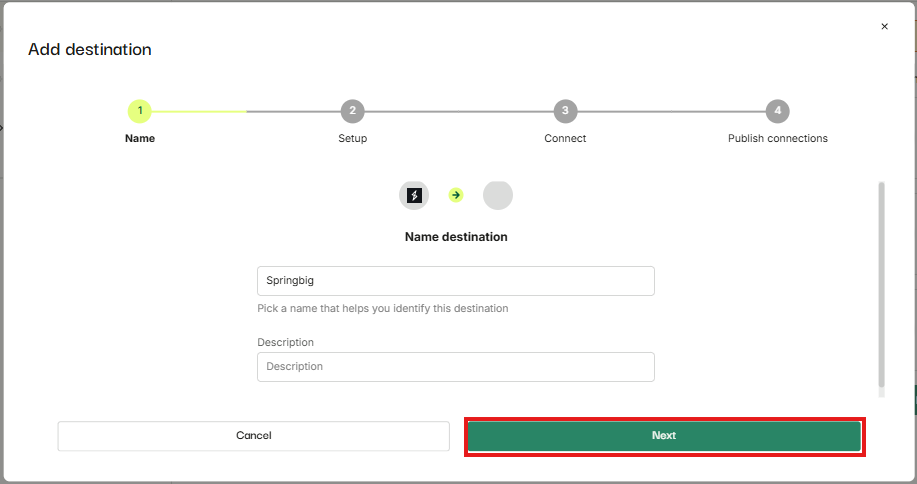
Enter Name and description (optional) and click on the next button
Adding your API credentials, authentication tokens and configuring a custom group connection
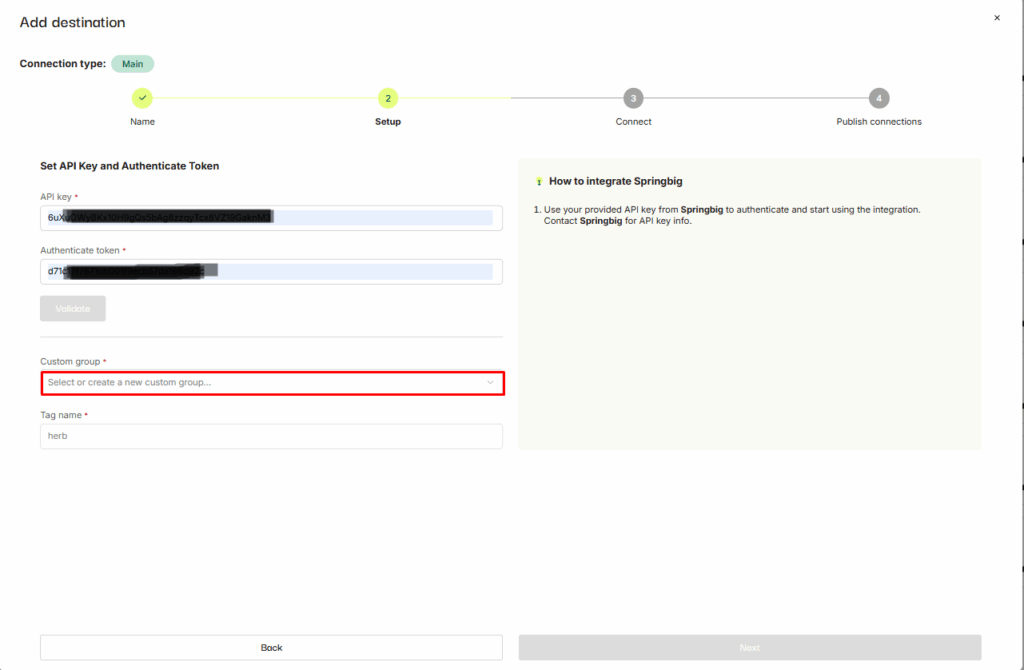
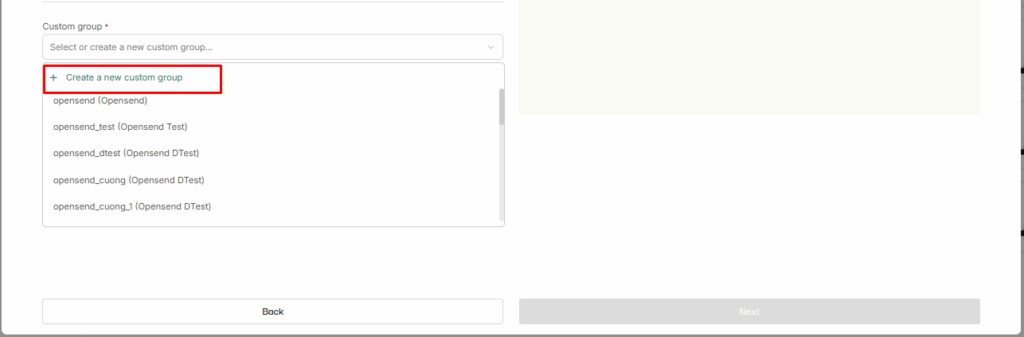
Click on Custom group dropdown
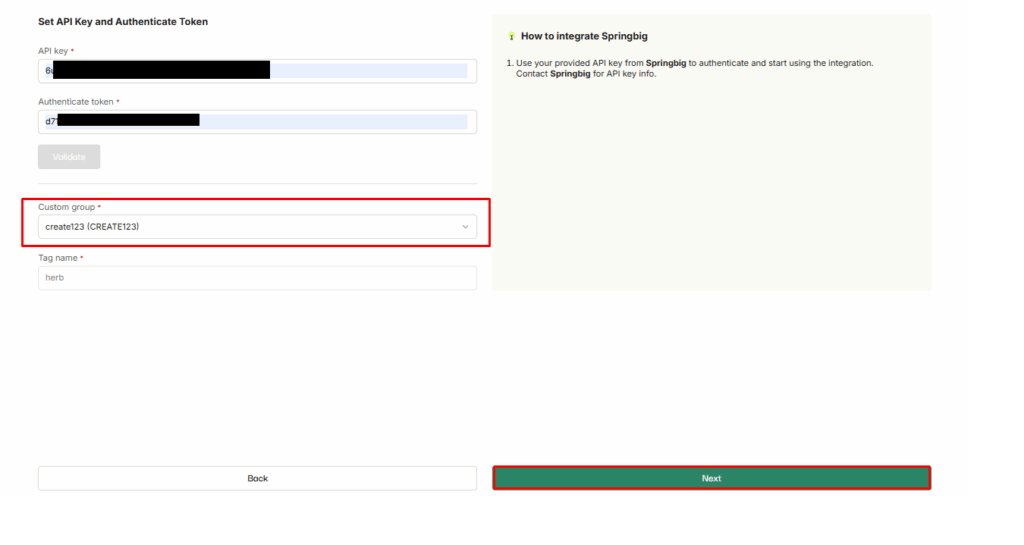
Add the provided API key by the Herb team in the API key field
Authentication token will be provided by the SpringBig team which you can place under Authentication token field
Please reach out to your CSM or support@springbig.com for access to this Authentication token
Click on Create a new custom group
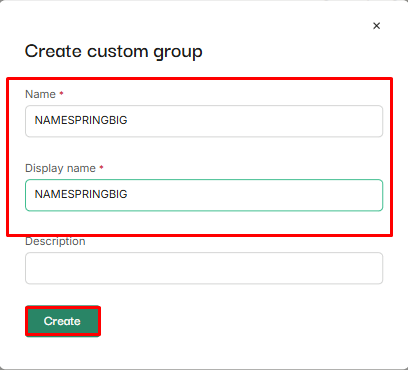
Enter name and display name for a new custom group and click on Create button
Click on the Next button, created custom group will already be auto selected in the dropdown
Publishing the Springbig IR pixel connection
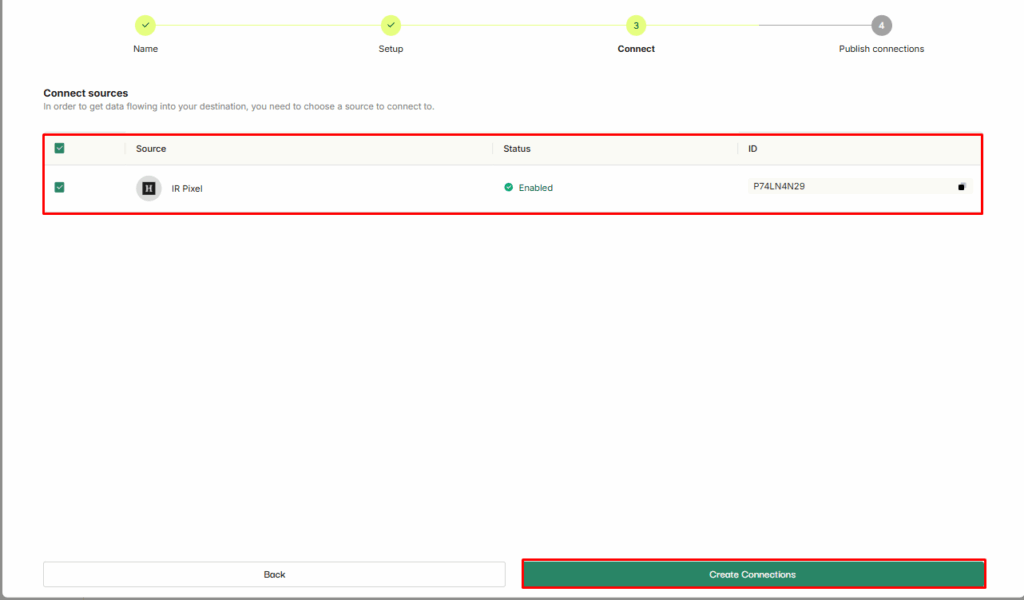
Select IR pixel and click on Create connections button
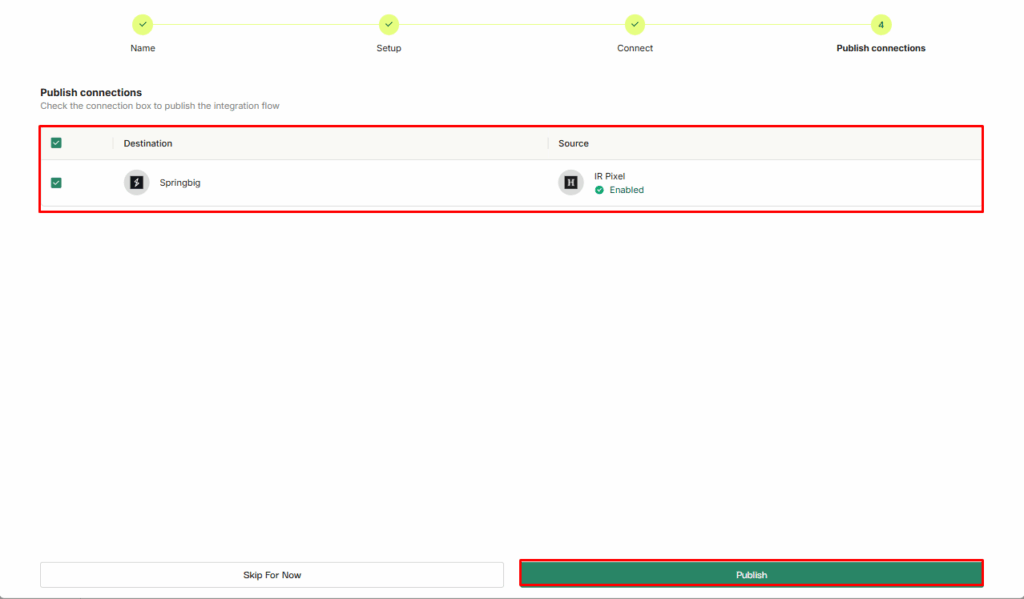
Select Springbig – IR pixel connection and click on Publish button
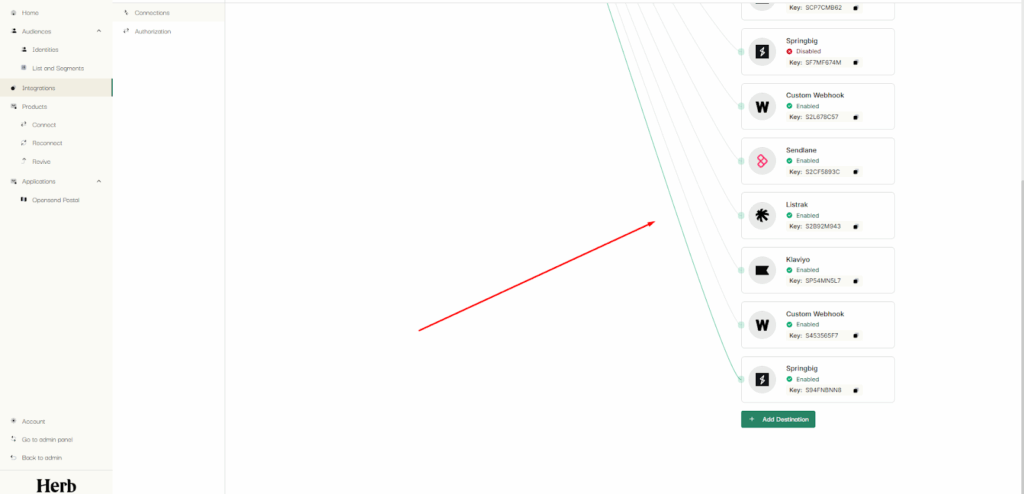
SpringBig connection will be live and successfully connected to IR pixel source
Verifying your integration and viewing key engagement data in Springbig
Once integrated with HerbMail you will be able to see the following within your Springbig platform:
Users who clicked on any sent emails
Users who started building their carts on the site