Welcome to the Springbig + Greenbits Integration Guide!
In this guide you will learn more about:
The Greenbits installation process
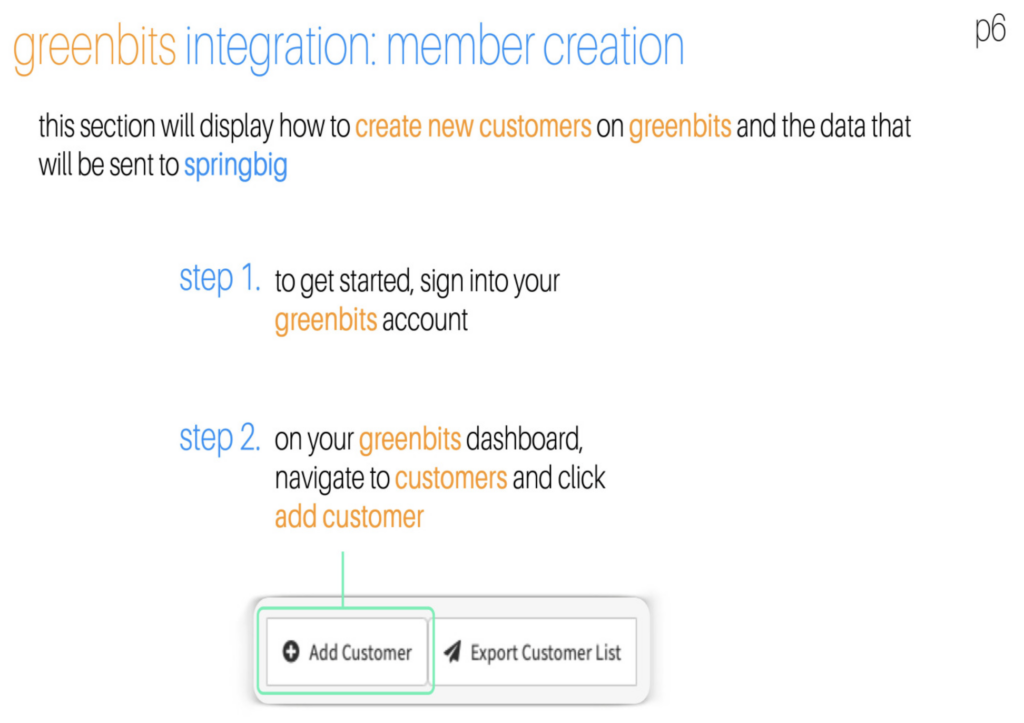
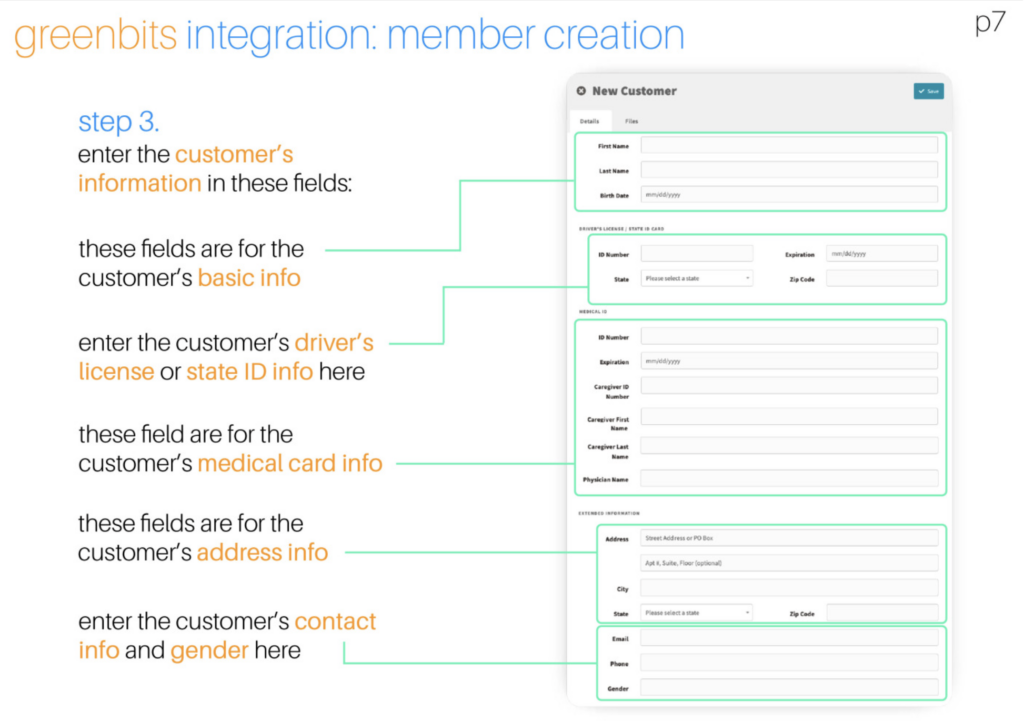
Member creation in Greenbits
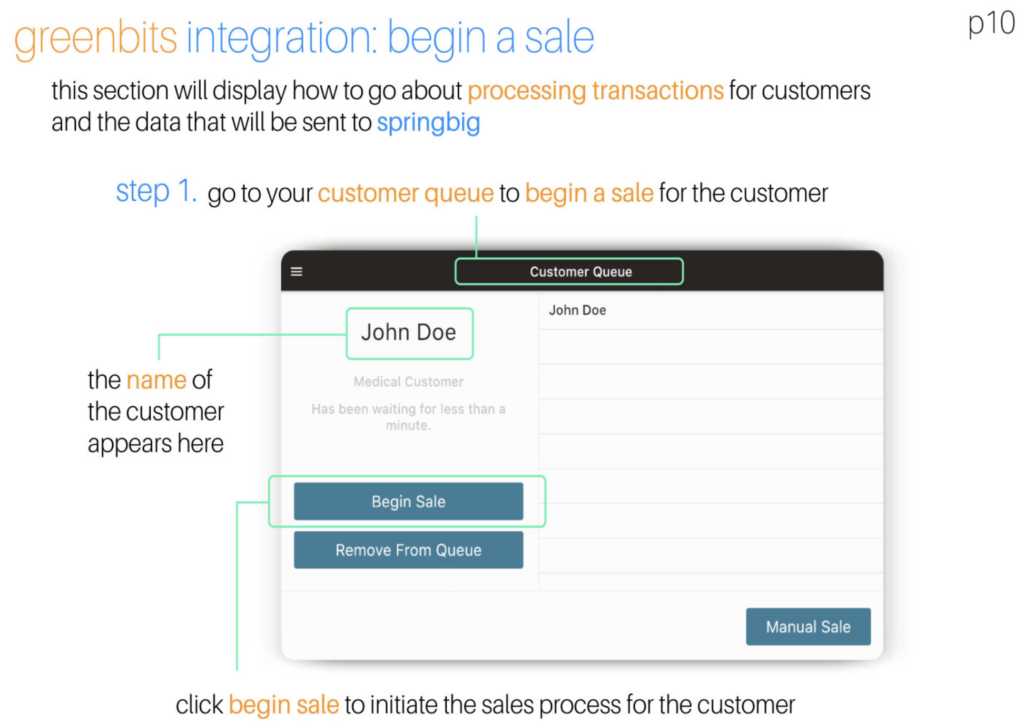
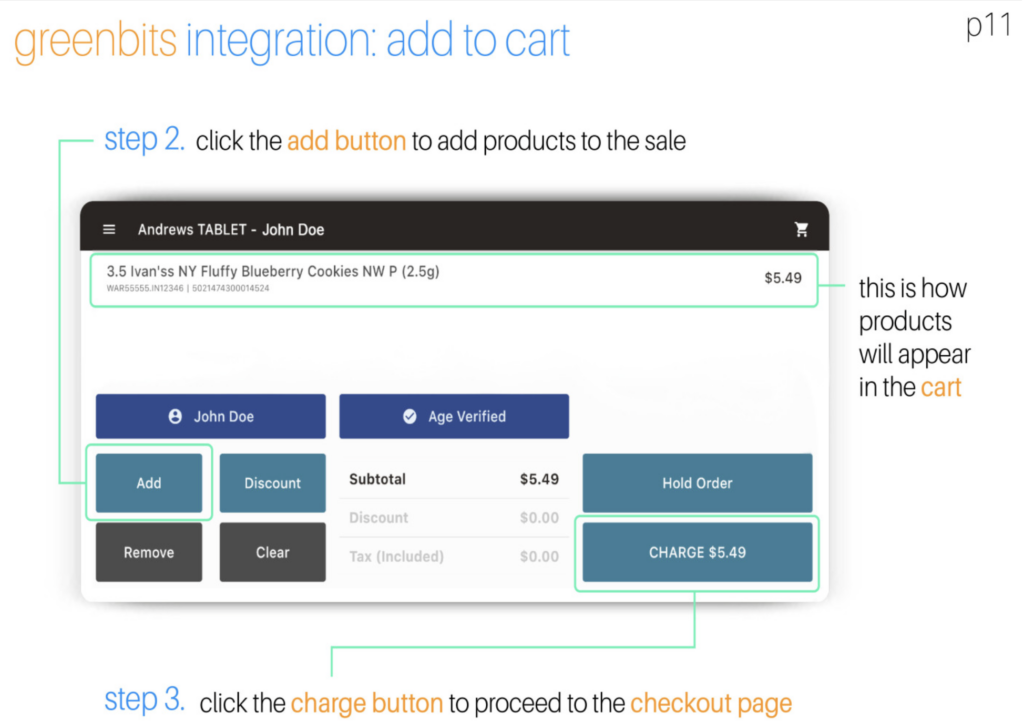
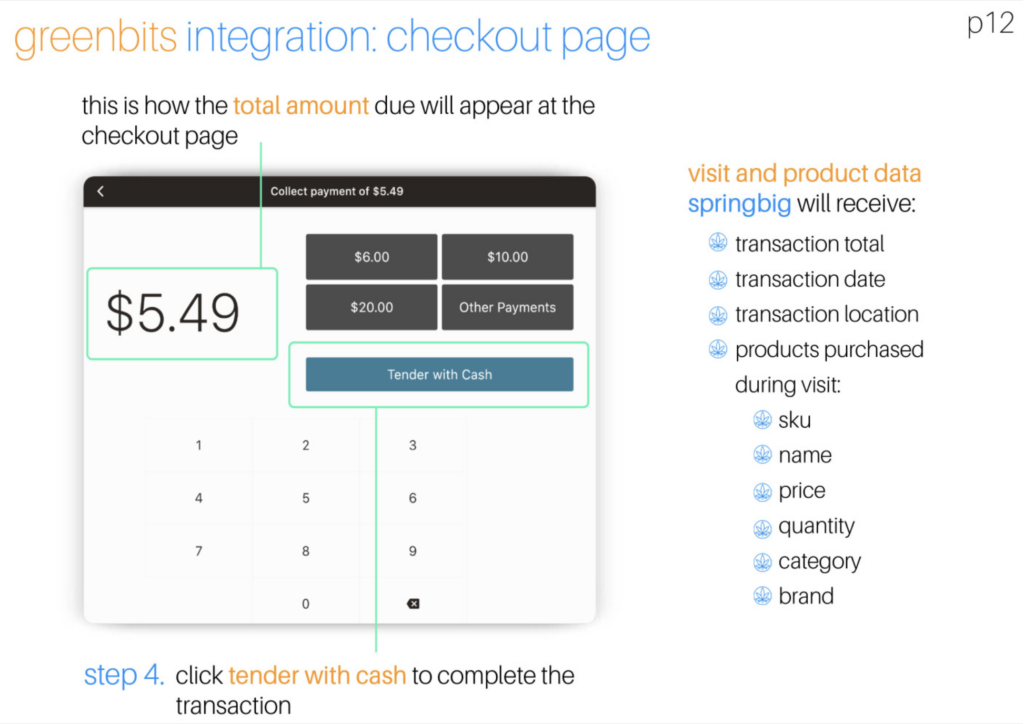
The transaction process in Greenbits
Let’s get into it!
Springbig + Greenbits Guide
User interface is subject to change at the discretion of your POS provider. For the most accurate and up-to-date information, please consult your POS provider directly.
Part 1: Installation
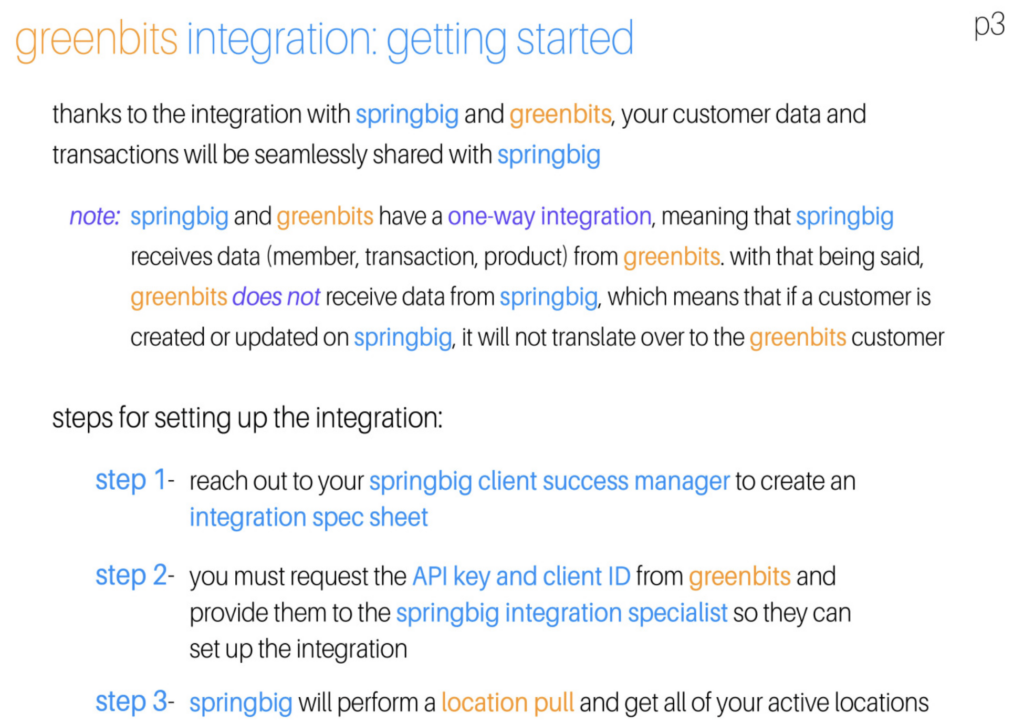
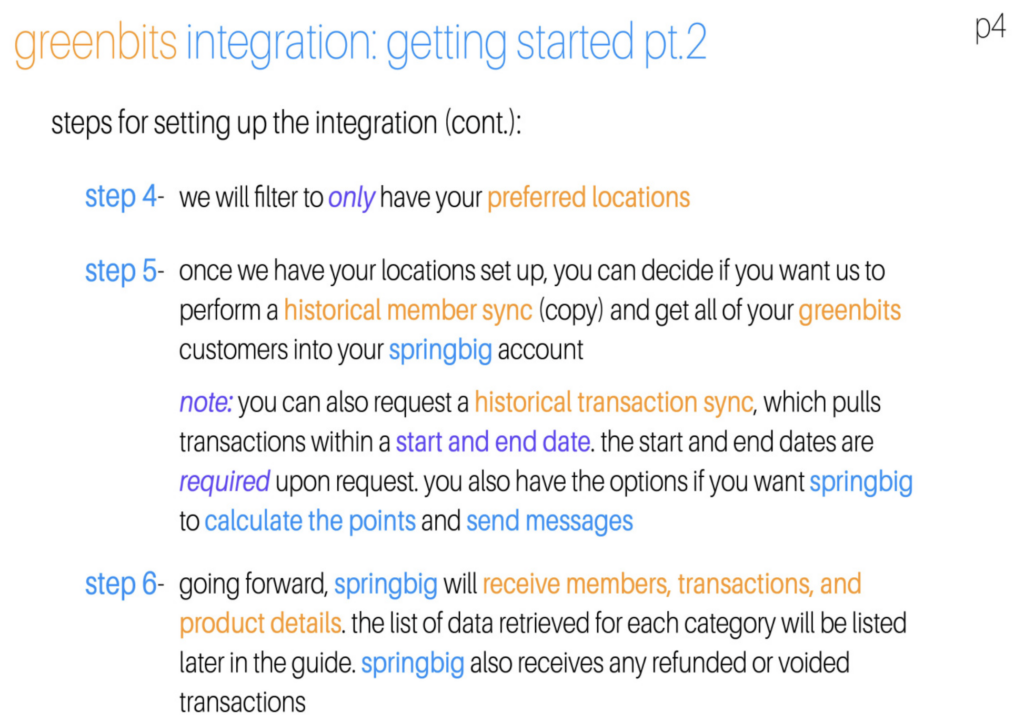
How to get your API from Greenbits
First step for integrating your GreenBits POS to Springbig:
Retrieve your API token / company_id for integration. To get the information, simply go to login with your GreenBits credentials at: https://api.greenbits.com/api/v1/me
You will get a weird looking response. Don’t panic, it’s normal.
Second, please provide Springbig with EVERYTHING that it gives you. Copy the entire piece of the API info and send it to your client success manager or onboarding specialist.
Third, our Integration Team will start the integration process.
Tip: We recommend creating a new GreenBits user account that is dedicated to the integration only. This way if there are any employee status changes this won’t disrupt the integration.
Note: We can’t start your integration until we have this API.