
To create a new member offer:
Navigate to settings – rewards / offers
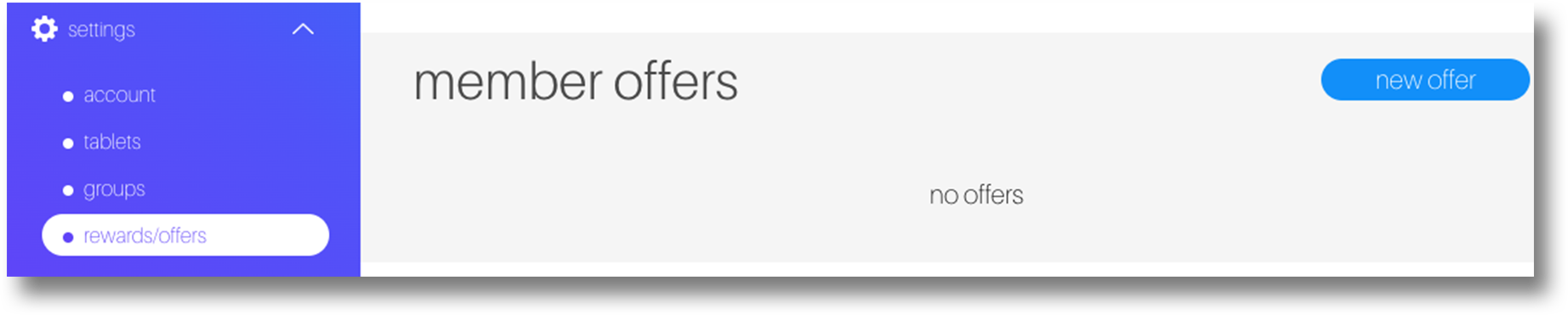
Scroll down to the member offers section and click new offer
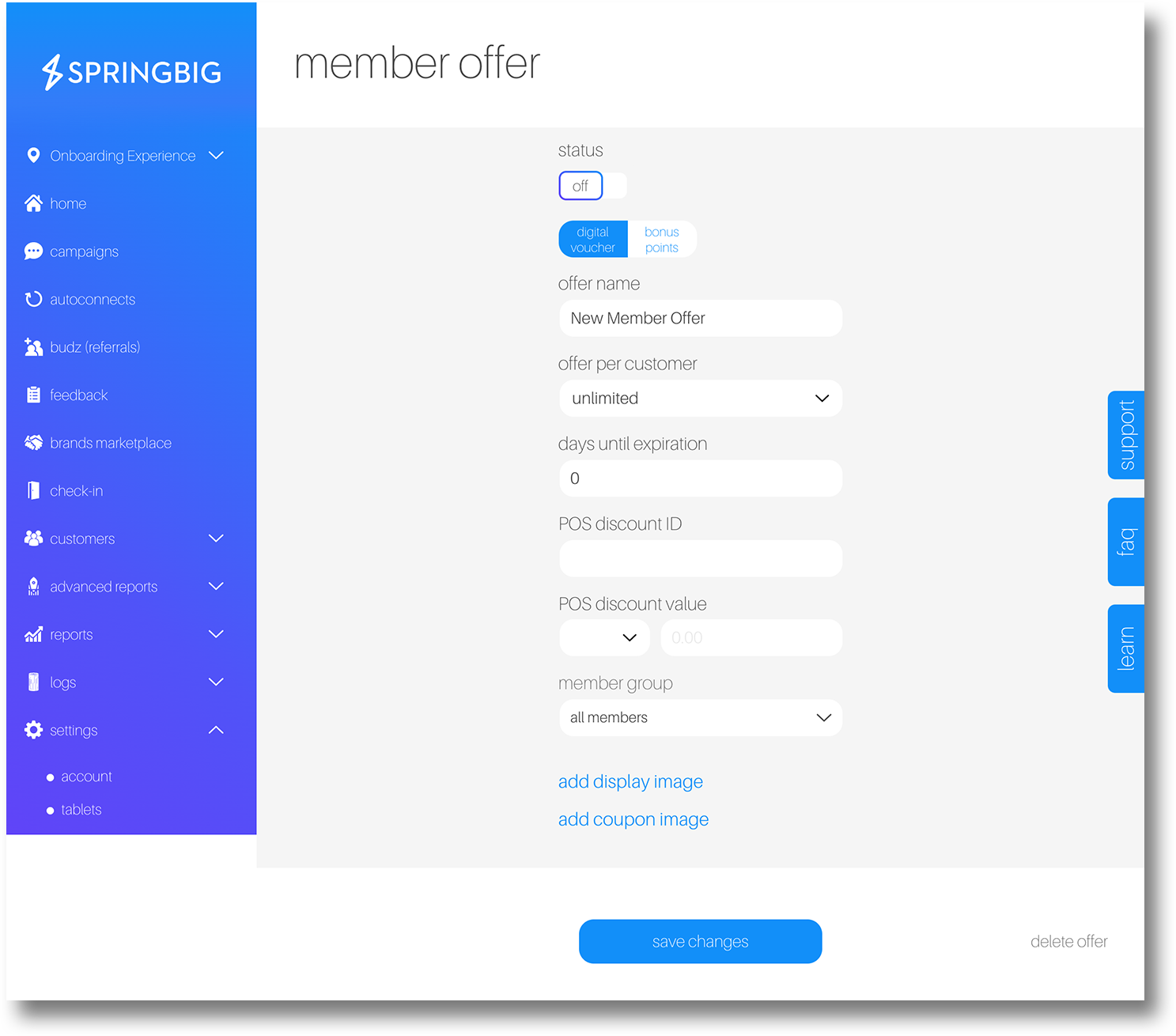
Update the status from off to on when you are ready for this offer to be sent (you can save an offer without turning it on before you are ready)
Select the offer type:
Digital voucher (can be a voucher for anything, make sure you have the corresponding discount set up in your POS if you use digital voucher)
Bonus points (specific to Springbig loyalty)
Name your offer. Note: this name is customer facing
Determine if the offer can be used once or an unlimited amount of times within the expirate time frame (offer can be unlimited, 1, 2, 3, 4, 5, or 10)
Set expiration date: Retailers have the ability to set relative or absolute expiration dates on member offers
- Relative expiration on members offers means the offer will expire on X amount of days after the offer is sent to the customers
- Absolute expiration on member offers means the offer will expire on a specified calendar date at 11:59pm on that day
- Add POS Discount ID (optional and specific to certain POS, check your Integration guide for instructions)
POS Discount Value (optional and specific to certain POS, check your Integration guide for instructions)
Select member group to determine the group or groups of members you would like to receive this offer. Groups include:
Audiences
Locations
Carrier
Brands (specific to POS integration)
Categories (specific to POS integration)
Interests (must be set up in groups to utilize)
Discounts (specific to certain POS integration, must be set up in groups to utilize)
Custom groups (must be set up in groups to utilize)
How did you hear about us (must be set up in groups to utilize)
Visit recency (specific to integrated platforms)
Spend total (specific to integrated platforms)
Campaign engagement (click to view details)
Days since last visit (specific to integrated platforms)
Visiting total (specific to integrated platforms)
Average spend (specific to integrated platforms)
Point balance (specific to Springbig loyalty)
Join date
Birthday (only applicable for members with birthday)
Next visit time (calculated based on average time for members with 4+ visits)
Order type (specific to certain integrated platforms)
Area code (must be set up in groups to utilize)
Zip code
Gender
Med / Rec (specific to certain integrated platforms)
Did not click on campaign (click to view options)
Misc.
no birthday
no email
no interests
Pin code status
Email activity
Add display image add coupon image (optional, without uploading image, Springbig’s default star images will display)
Display image will pop up in the customer wallet
Coupon Image will appear when the offer is redeemed
Click save changes to save your member offer
Note: Saving an enabled member offer will automatically populate the offer to your member’s wallets. This can not be edited once saved.
Tip: You can create and save a member offer before turning it on and having this offer uploaded to your desired audience. You can test member offers by setting up a custom group with only yourself, but you will then need to create a new member offer to send to your desired audience.