
Springbig is excited to announce that we now have a new innovative Artificial Intelligence Assistant built directly into our email builder!
This new feature provides the ability to spell check, correct grammar mistakes, translate to whatever language you want, as well as put in a tone for your content, and even shorten to a specific character length!
The AI Assistant is available within the 4 following content blocks:
Paragraph
Spell-check the content
Correct grammar mistakes in the content
Translate content to [language]
Make it [tone] without changing the format
Use Active Voice
Summarize the content
Convert the content to the third person without changing the format
Button
Translate the button label to [language]
Make it [tone]
Use Active Voice
List
Spell-check the content
Correct grammar mistakes and return the content
Translate content to [language]
Make it [tone] without changing the format
Use Active Voice
Title
Capitalize it
Capitalize all the first words in the text
Make it [number] characters long
Make it [tone] without changing the format
Translate it to [language]
You can utilize the AI Assistant to even come up with variations of subject lines!
Here is the AI Assistant in action within the paragraph content block:
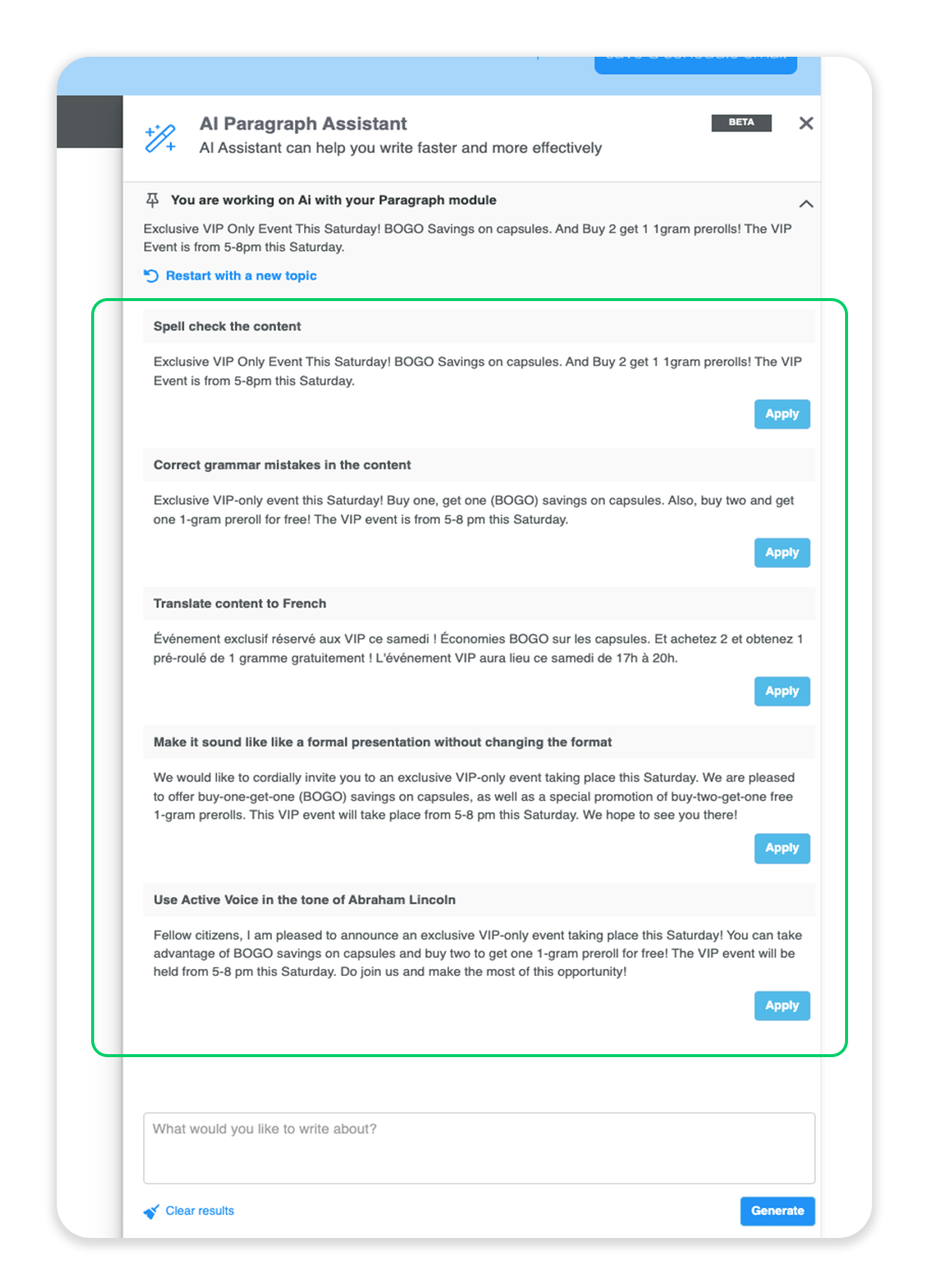
We are excited for you to try out the AI Assistant in your next email campaign! Please reach out to your Client Success Manager for any assistance or to set up a training session on how to utilize the AI Assistant with a member of Springbig’s Messaging Team.
Check out this video reviewing how to utilize the AI tool: