BUDZ BY SPRINGBIG
SPRINGBIG'S NATIVE REFERRAL PROGRAM
Budz by Springbig is our exclusive referral marketing program designed to engage and reward your customers for helping grow your community. With Budz, customers can easily share referral offers through their wallet or app, giving them a unique incentive to bring friends and family into your brand’s experience. As customers bring in new referrals, you expand your database, increase brand visibility, and build loyalty with a program that feels personal and rewarding.
Discover how Budz by Springbig can help your business foster meaningful customer connections and amplify your reach, all while offering valuable rewards that customers love to share.
WHAT IS BUDZ?
BUDZ BY SPRINGBIG EXPLAINED
BUDZ SET UP
CURATE THE PERFECT REFERRAL PROGRAM FOR YOUR CUSTOMERS
To set up the Budz referral program click budz on your platform menu. Here you will can view KPI’s relevant to your program, edit / set up the program, and view program performance results. Budz is set up like an Autoconnect: configure the program settings then set up your messages and offers for the referrer and referred member to begin.
Pro-tip: Set up your Budz program with a ‘test’ custom group that you are a part of to test the Budz referral before going live.
CREATING A BUDZ PROGRAM
NAME & DETERMINE
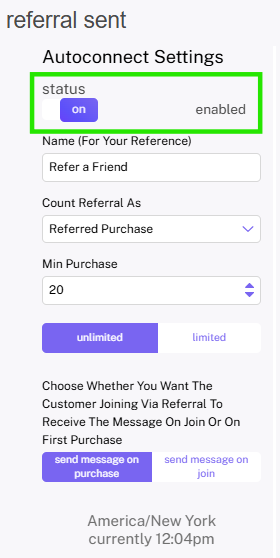
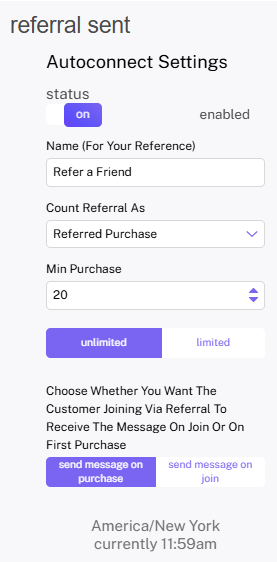
Step 1. Name your Budz Referral Program (this name is internal but feel free to get creative with your naming in your own marketing)
Step 2. Determine if you would like to count referrals based on:
- Join (referrer and referred customer will be rewarded when a join occurs)
- Purchase (referrer and referred customer will be rewarded when a purchase occurs after a customer is referred and joins)
SET CONFIGURATION
Step 3. If utilizing a referred purchase program: set minimum purchase (this can be $0)
Step 4. Set your referral program to unlimited or set an amount of referrals a customer can make to limit the amount of offers / messages they can receive
Step 5. Next, set up both the message the referrer and referred customer will receive
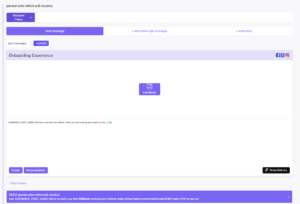

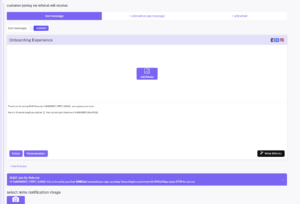
Create message
- Person who refers will receive:
- Set up stashboard content with text as well as stashboard images, emojis, and/or value substitutions
- Set up an extension to add an offer – this offer will appear in the wallet as an incentive to refer friends
- Select a notification message and (if desired) mms notification image
- Customer joining via referral will receive:
- Set up stashboard content with text as well as stashboard images, emojis, and/or value substitutions
- Set up an extension to add an offer – this offer will appear in the wallet as an incentive to refer friends
- Select a notification message and (if desired) mms notification image
Enable
Step 6. Remember to toggle the Autoconnect to ‘enabled’ when you are ready to go!
BUDZ PROGRAM PERFORMANCE
MONITOR YOUR PROGRAM'S GROWTH
Within the Budz page, click ‘view program performance‘ to view the results of your Budz program. Here you can view the configuration for your program as well as the KPI’s for members that received the referrer message and the referred message. You can view the Overview page as well as the send method-specific performance.
Overview KPI’s Shown:
- Messages Sent
- SMS Sent
- Total Engagements
- Total Visits
- Revenue Generated
- Spend/Recipient
- Extension (yes or no, depending on whether this was included in your message)
- Total Redemptions
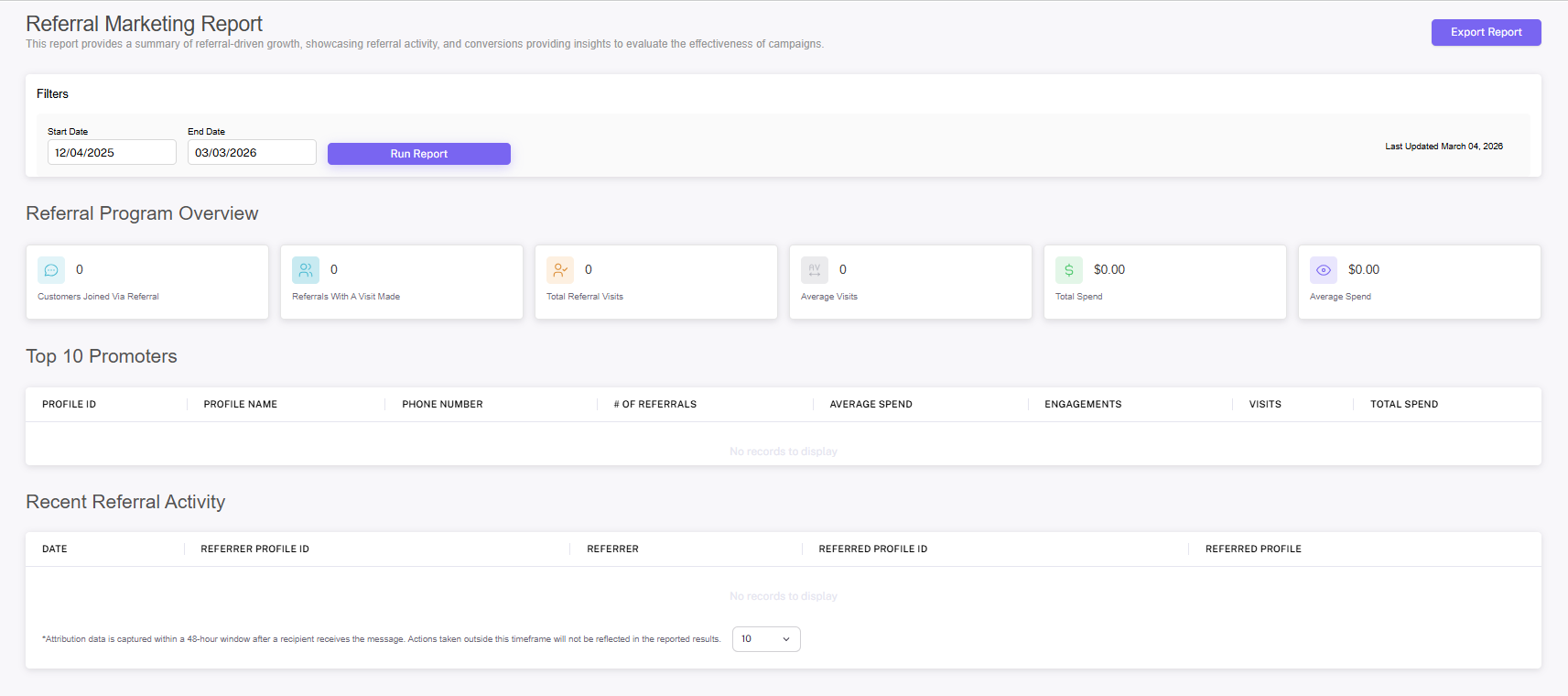
Referral Marketing Report
TRACK YOUR PROGRAM'S SUCCESS
The Referral Marketing Report allows you to compare and analyze the performance of your campaigns. Keep track of how often referrals visit your store, how much they spend on average, and more essential data points. You can even see who your top referrals are, and download the report to share with your team. Adjust the timeframe to look at different times within the last 90 days. View or download report.
The following KPIs are available on the downloadable report:
- Date Range
- Number of Joins
- Referrals Who Made A Visit
- Number of Visits
- Average Number of Visits per New Member
- Total Spend
- Average Spend
Date Range Number of Joins Referrals who made a Visit Number of Visits Average Number of Visits per new member Total Spend Average Spend
PROMOTING BUDZ
SPREAD THE WORD ABOUT BUDZ
Once you have set up your Budz program, it’s time to spread the word! Use your Springbig tools, flyers, and social media to promote your referral program.
Creating a flyer defining your Budz referral program is a great way to keep your customers involved. Name your program and promote it with information about what’s in it for your referrers and their budz, instructions on how to find referral links, and even screenshots / graphics / QR codes (add a QR code to give your customers easy access to their wallet via sharing links) can be helpful to help your customers utilize referrals.
Fliers / creatives can be shared:
- In store
- On your website
- On social media
CAMPAIGNING BUDZ
PROMOTE YOUR REFERRAL PROGRAM
Consider rolling out Budz with a introduction campaign cadence, 1-4 campaigns informing customers about the program & what’s in it for them and their friends. Utilize the Target Wallet extension to direct the customer directly to the referral link. This is a great place to feature fliers and or screenshots to make this simple.
CAMPAIGN IDEAS
“Great news from (your shop)! We have a new referral program where you can earn discounts for sending your friends. In your loyalty wallet, linked here, you’ll find your unique “refer a friend” link which you can text, email, or share on social media. Your friends will get up to 15% off for joining and you’ll be rewarded with 200 points once they make their first purchase.”
AUTOMATION IDEAS
Continue the conversation about Budz with automations. This will automate your outreach and ensure that new customers learn about your referral program after it has been introduced.
Here are some Automations you can set up to introduce Budz:
- After Join – introduce your program and feature referrals
- By Join Date – determine what point in your customer’s journey they should be reminded about your referral program
- Visit / Spend Milestones – use milestones to promote your program to your most loyal members