Email Template Sharing
Springbig’s Email Template Sharing feature allows retailers to share created email templates across multiple Springbig platforms. This feature allows retailers to create a template within one account and effortlessly replicate it across all associated Springbig platforms for a particular store, ensuring consistent branding.
Sharing Email Templates

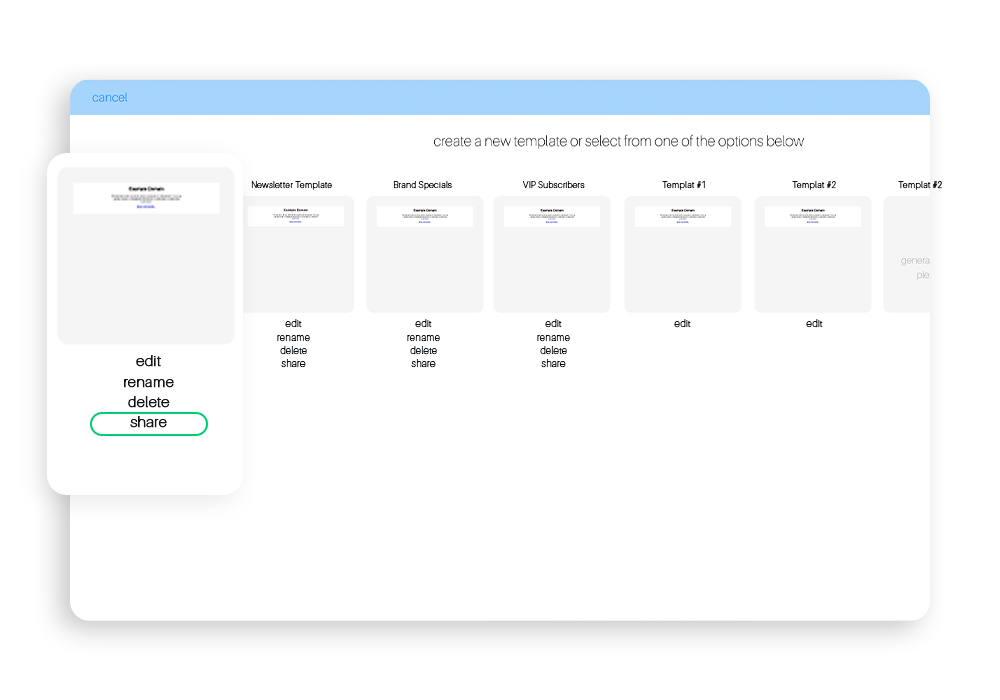
Step 1: Locate the template you would like to share from within the email builder and select Share
Tip: to get to the email builder, navigate to the new campaign page, enable the email tab, and you will be brought to the email template page.
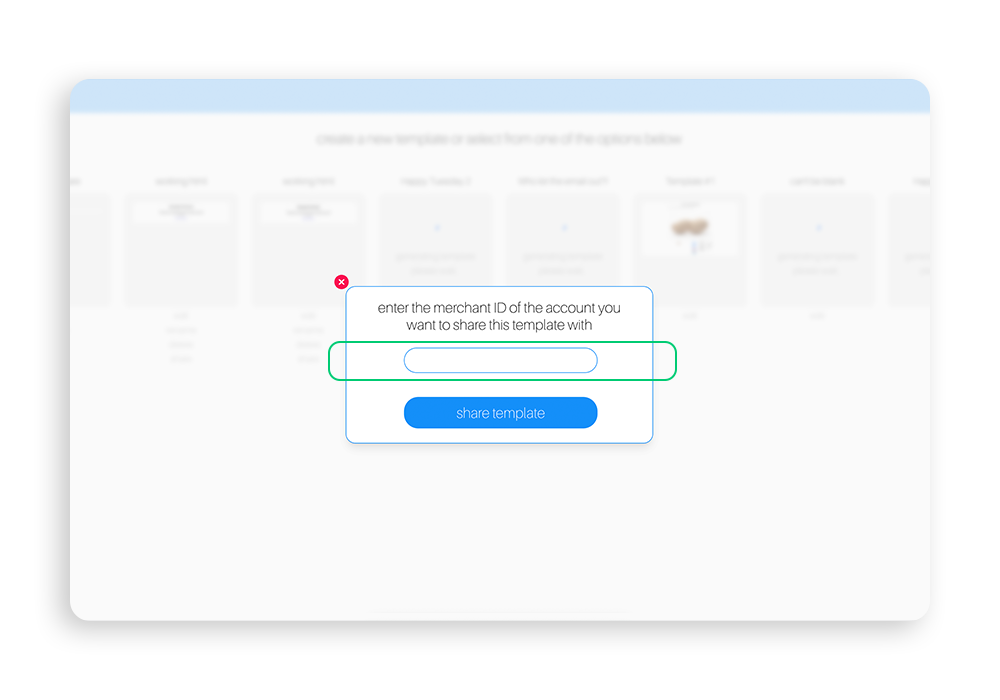
Step 2: Enter merchant ID for the account you wish to share template with
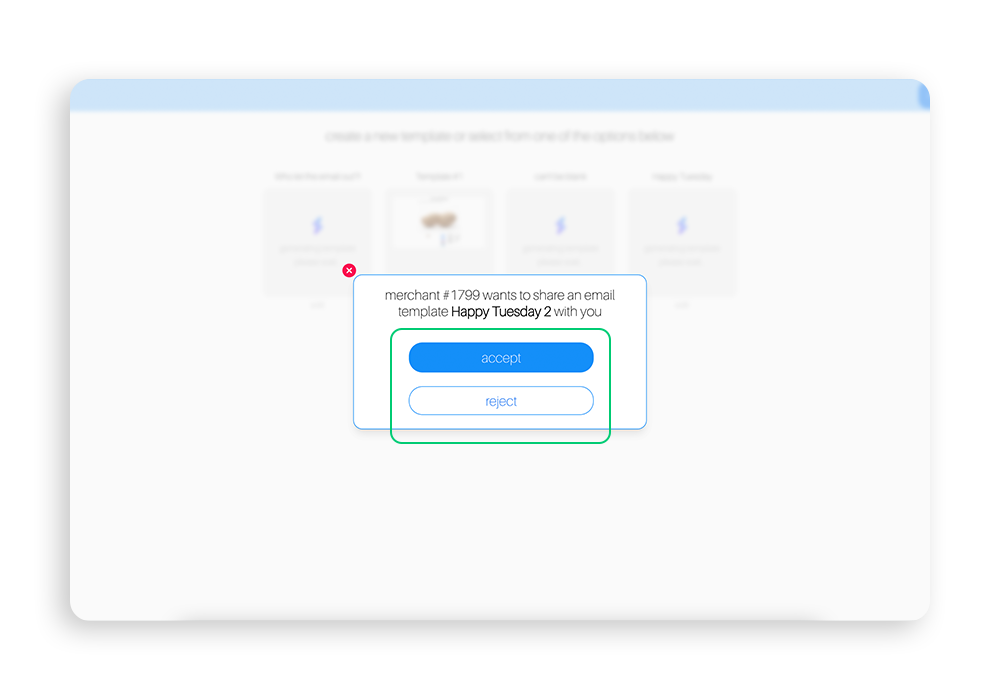
Step 3: A confirmation message is sent to the account you are sharing the template with
This pop up allows the merchant you are sharing the template with to accept or reject the shared template.
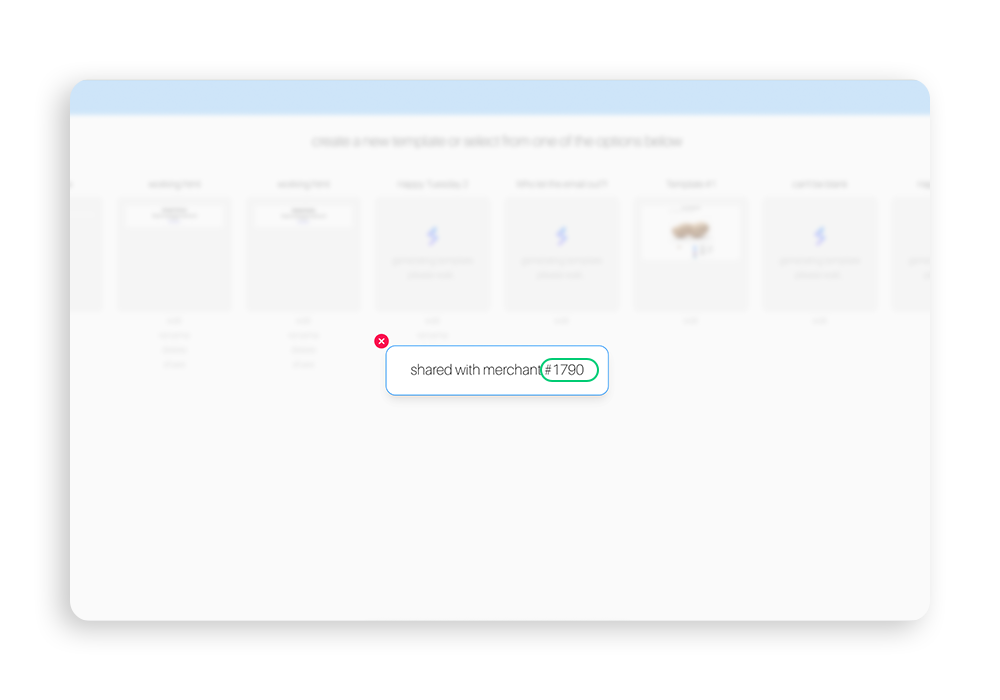
Step 4: Once accepted by the account, a pop up will appear letting you know that the other account accepted the template