Compare Campaigns
The compare campaigns feature allows you to select up to four of the campaigns that you’ve sent previously and compare them side by side, allowing for easy a/b testing and comparisons between campaigns and making it that much easier to create and fine-tune effective campaigns.
How to Compare Campaigns
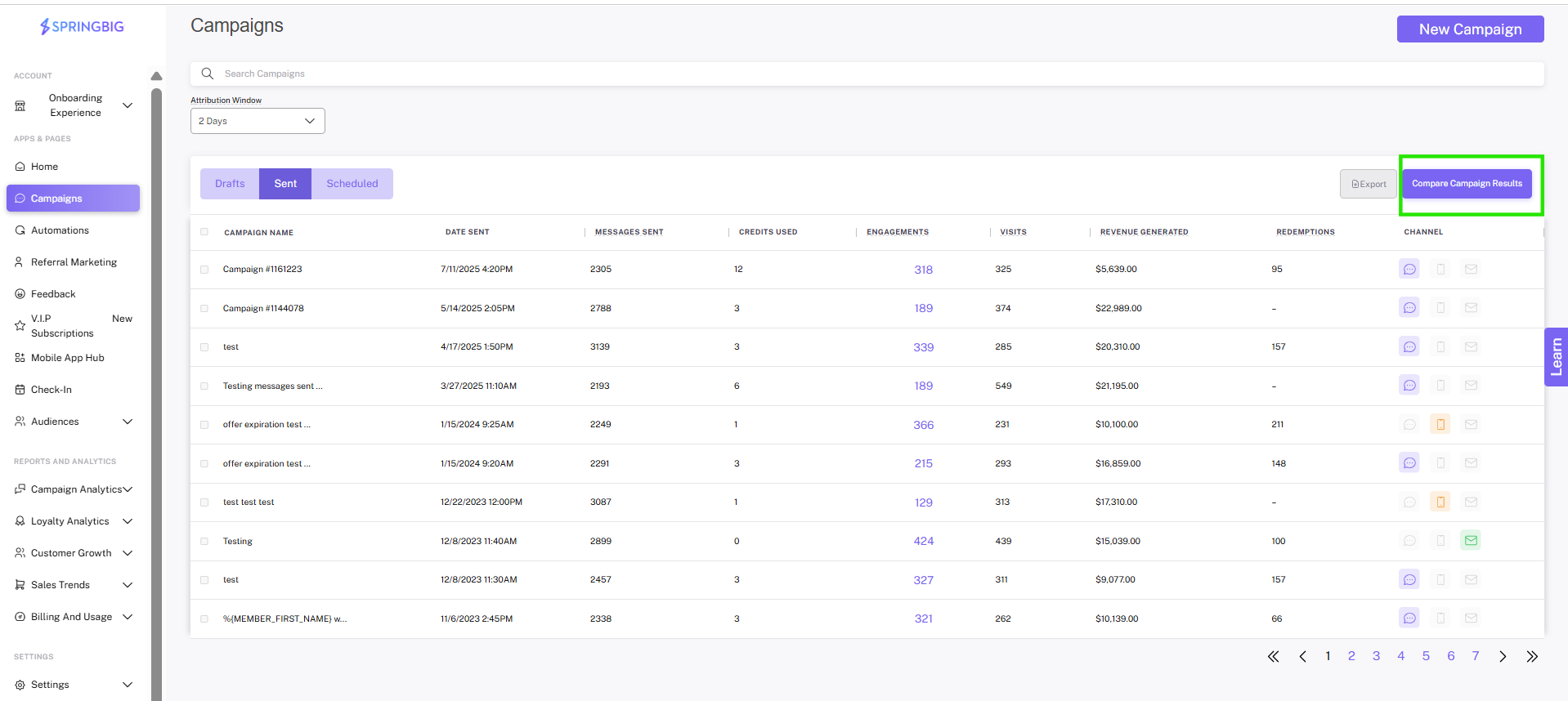
Step 1. Click the Compare button
On the campaigns page of the platform, you can click on the compare button at the top right of the campaigns list to get started.
Step 2. Select the campaigns you wish to compare
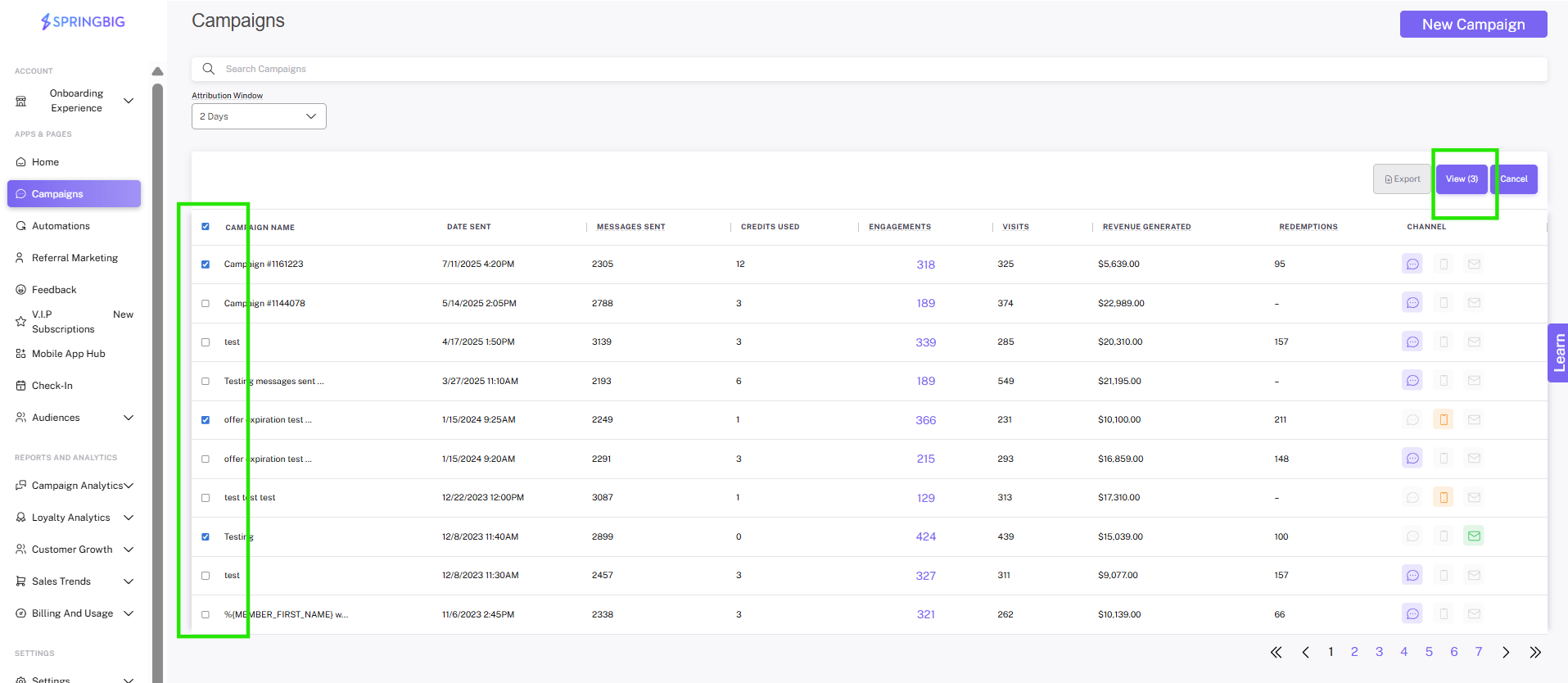
Next, you will be able to select the campaigns you wish to compare side-by-side by checking the box to the left of the message in the list. In this case, we chose three. Once selected, click the blue view button.
Note: The view button will only be available when you’ve selected more than 1 campaign. This button will also display how many campaigns you’ve selected.
Tip: To get the most out of this feature, make sure the campaigns you’re comparing have distinctly different aspects so that you’re able to attribute the data to those specific aspects of the campaign. for example, choose campaigns sent at distinctly different times to see how time of day affects visits.
Step 3. View your data side-by-side
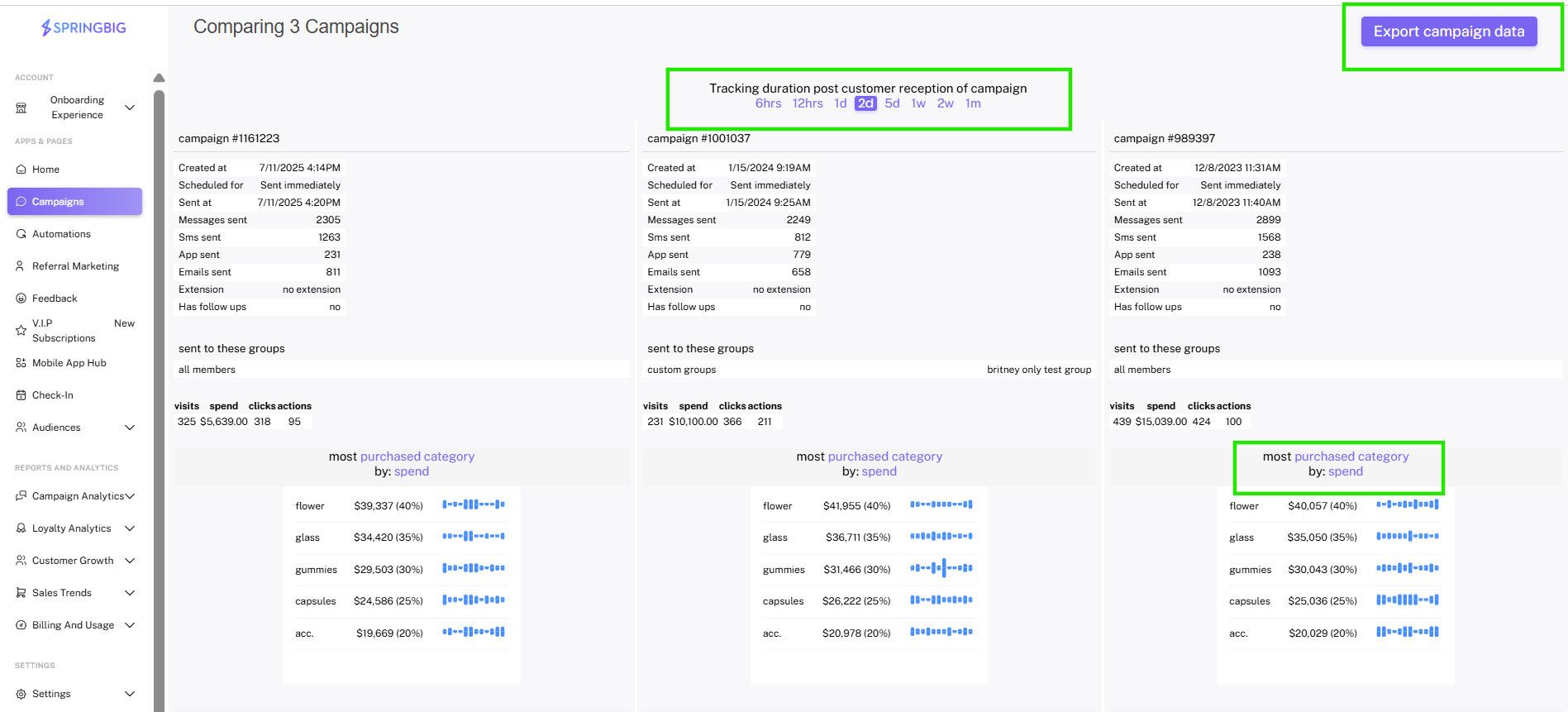
When view is clicked, you’ll be taken to the campaign comparison page where you’ll see the campaigns you selected side-by-side, allowing for easy comparison.
Note: The campaign comparison page is interactive and allows you to easily view and compare specific campaigns KPls.
Note: To export the data, click the export campaign data button in the top right corner of the page
- Notes:
- You will be able to adjust the time frame of the campaign comparison by simply selecting a time frame at the top of the page. you can choose anywhere from 6 hours after the campaigns were sent, to 1 month after.
- The charts within the campaign comparison page are interactive. Click the blue words above the charts in order to change the content of the charts and view different KPls