
CUSTOMER LOOK UP GUIDE
HOW TO SEARCH AND EDIT YOUR MEMBERS
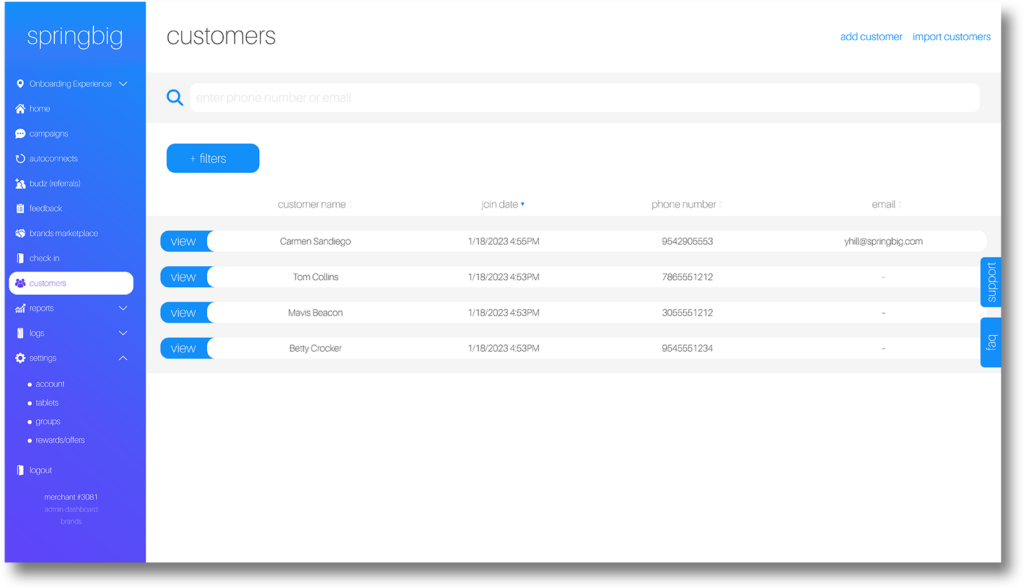
The Customer Lookup feature enables retailers to easily find and view key information about any customer in their database. From purchase history to loyalty points balance, this guide walks you through the steps for retrieving customer details to enhance personalized service and support. With a few clicks, get the insights you need to better understand and serve your customers.
SEARCHING FOR CUSTOMERS
In each customer profile there is also a link to their wallet. If you ever need to access the member’s wallet and assist them in redeeming, you can utilize this link.
You will also find the customer edit function here.
Please note, editing customers’ profiles should always be done in the POS: updating the member’s profile in the POS and then completing a transaction will update that member profile in Springbig. Depending on your POS provider, updates made to customer profiles in Springbig will also result in an update in your POS.
Please reference your Integration guide and talk to your Client Success Team to determine your providers functionality.
CUSTOMER SECTION VIDEO
View this breakdown video and overview of the Customer section of the Springbig platform!