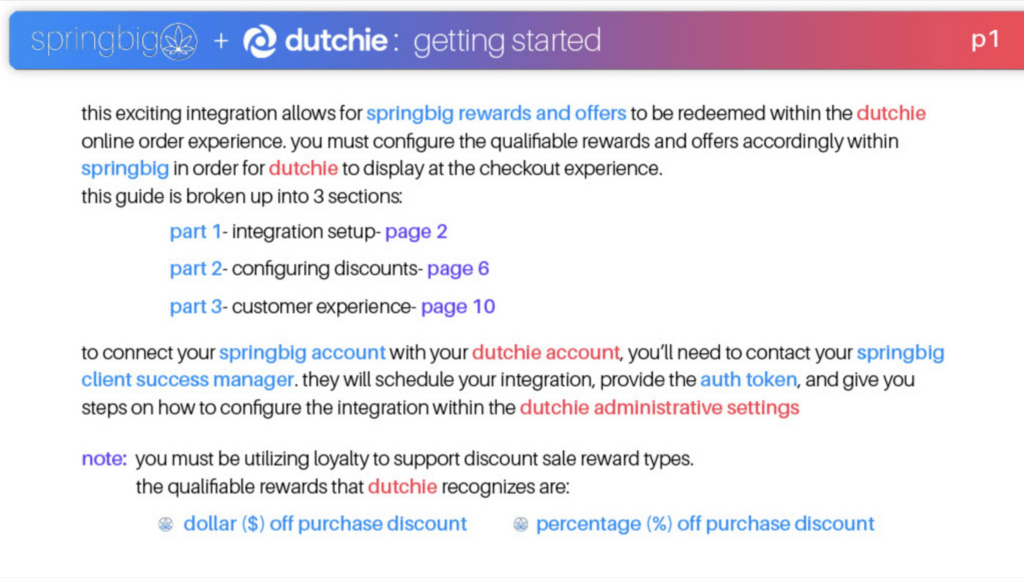
Welcome to the Springbig + Dutchie Ecomm Integration Guide!
In this course you will learn about:
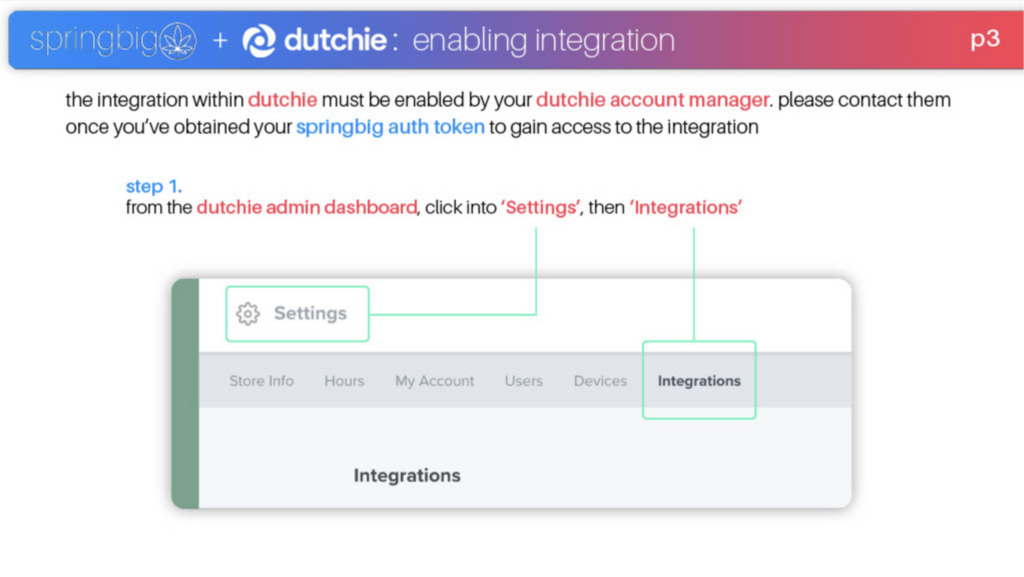
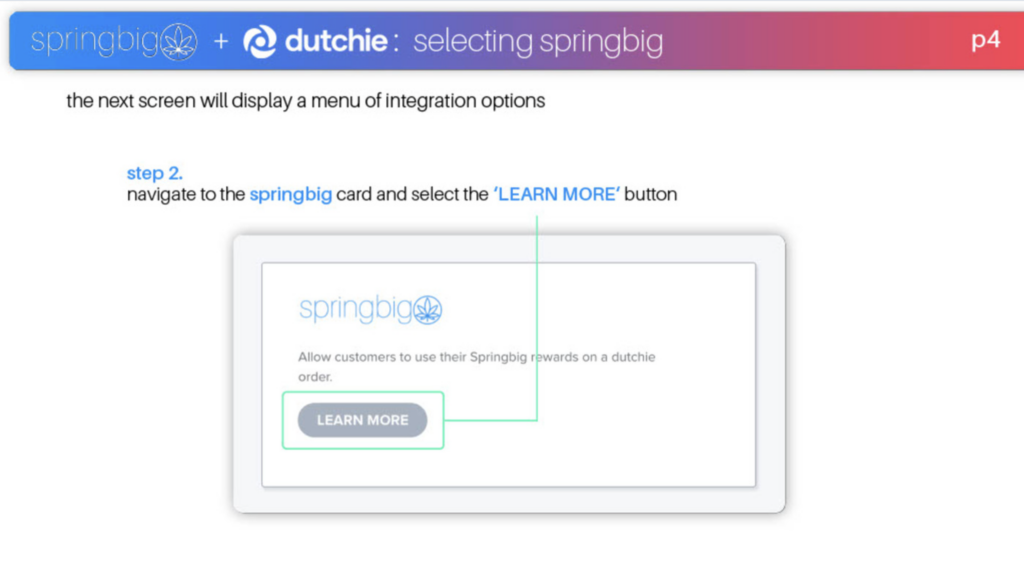
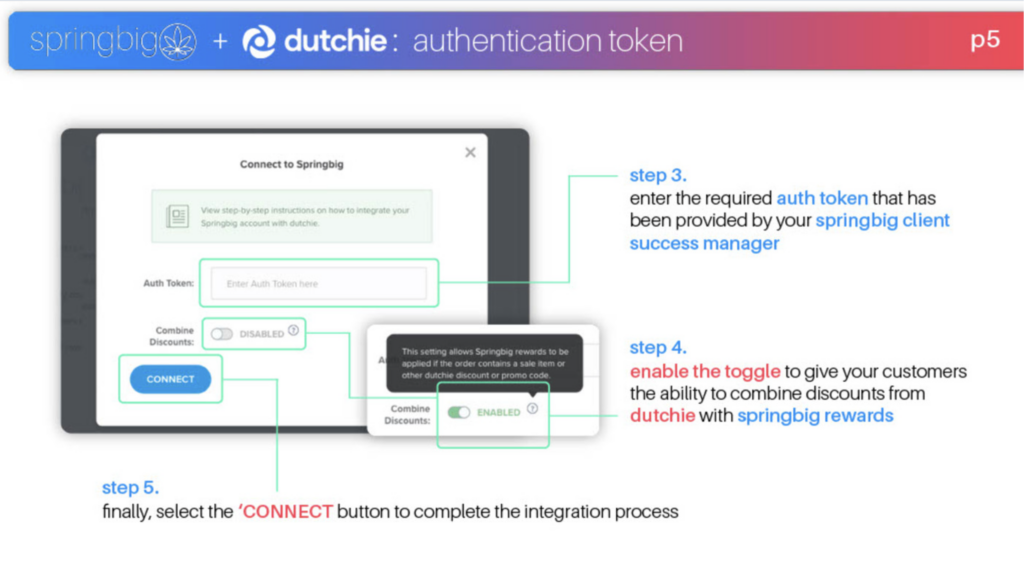
The integration setup
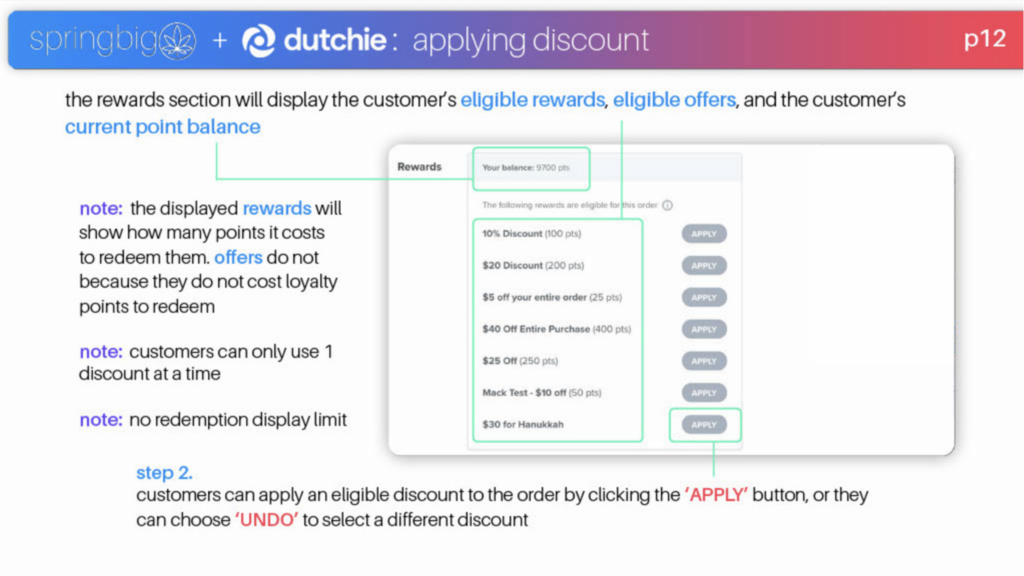
How to configure discounts
The customer experience
Let’s get started!
Dutchie Ecomm Integration Guide
User interface is subject to change at the discretion of your POS provider. For the most accurate and up-to-date information, please consult your POS provider directly.
Part 1: Integration Setup
Part 2: Configuring Discounts
Order Sync
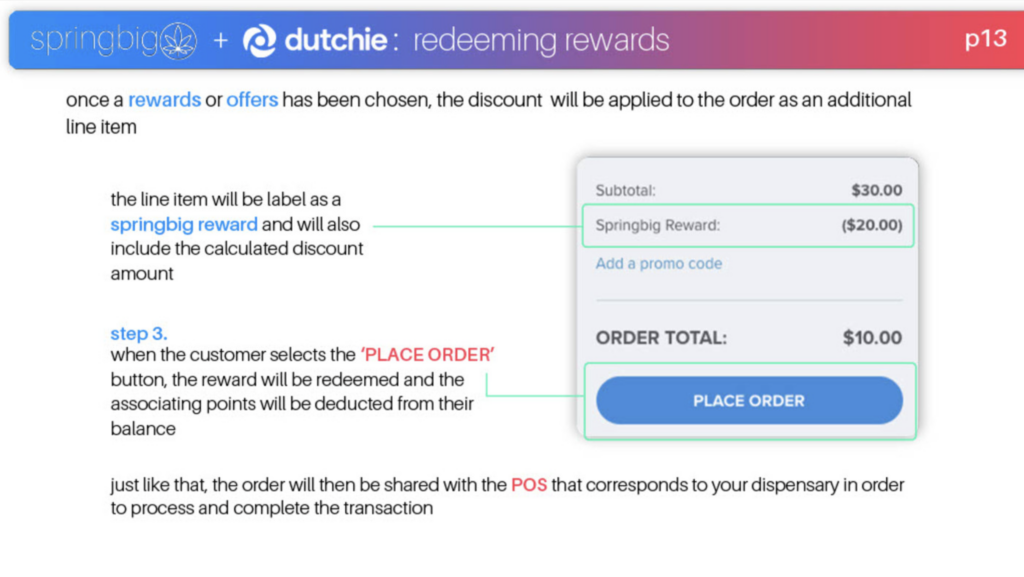
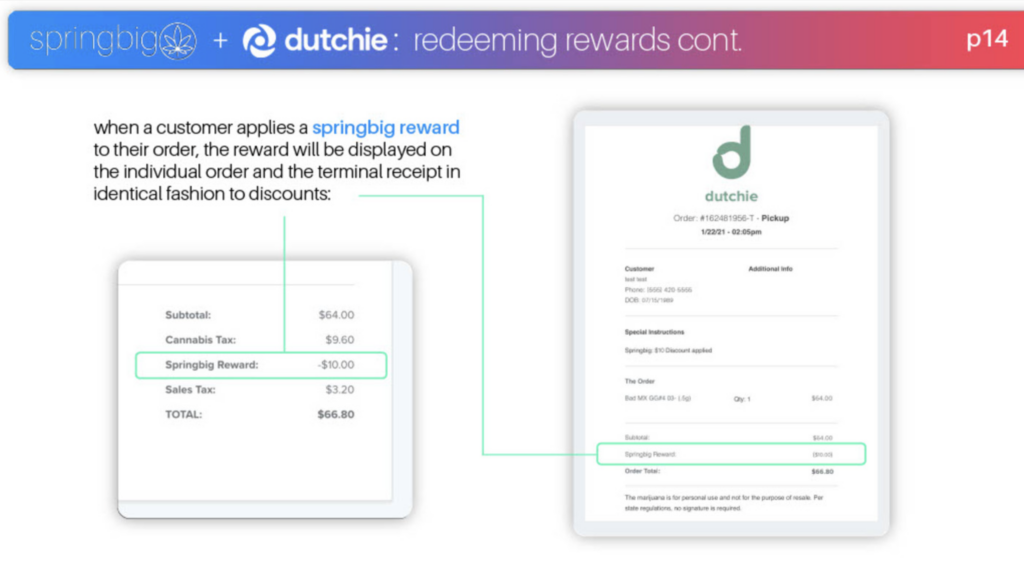
Reach out to your Dutchie representative to enable Order Sync since this setting is only accessible by Dutchie. Enabling this setting does not process the redemption in Dutchie ecommerce but rather relays over the redemptions to DPOS with a note indicating what redemption to use.
If Order Sync is disabled then it processes the redemption via Dutchie ecommerce and does not send the order to Dutchie POS.
The Order Sync setting is only applicable for Dutchie POS.
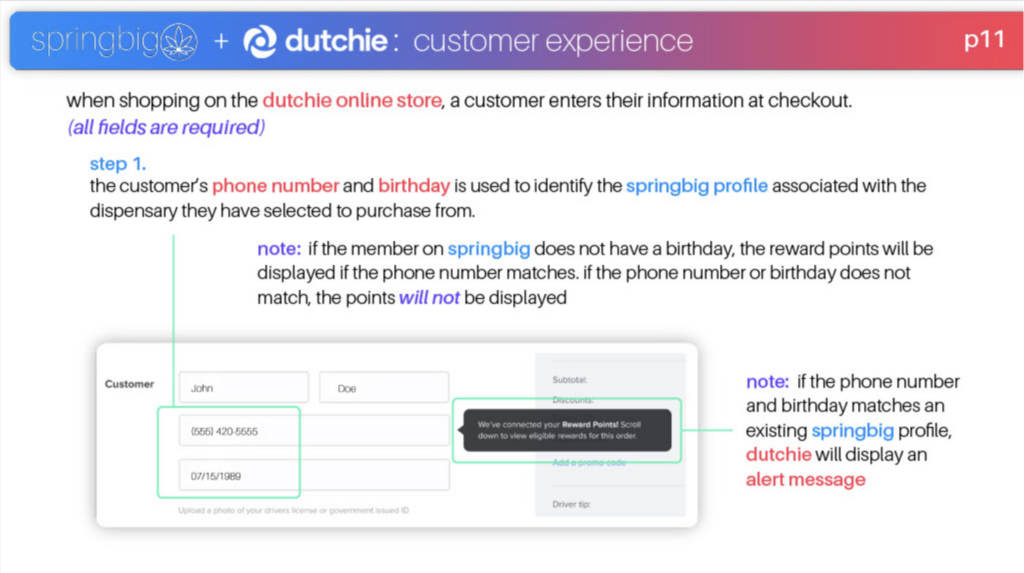
Part 3: Customer Experience
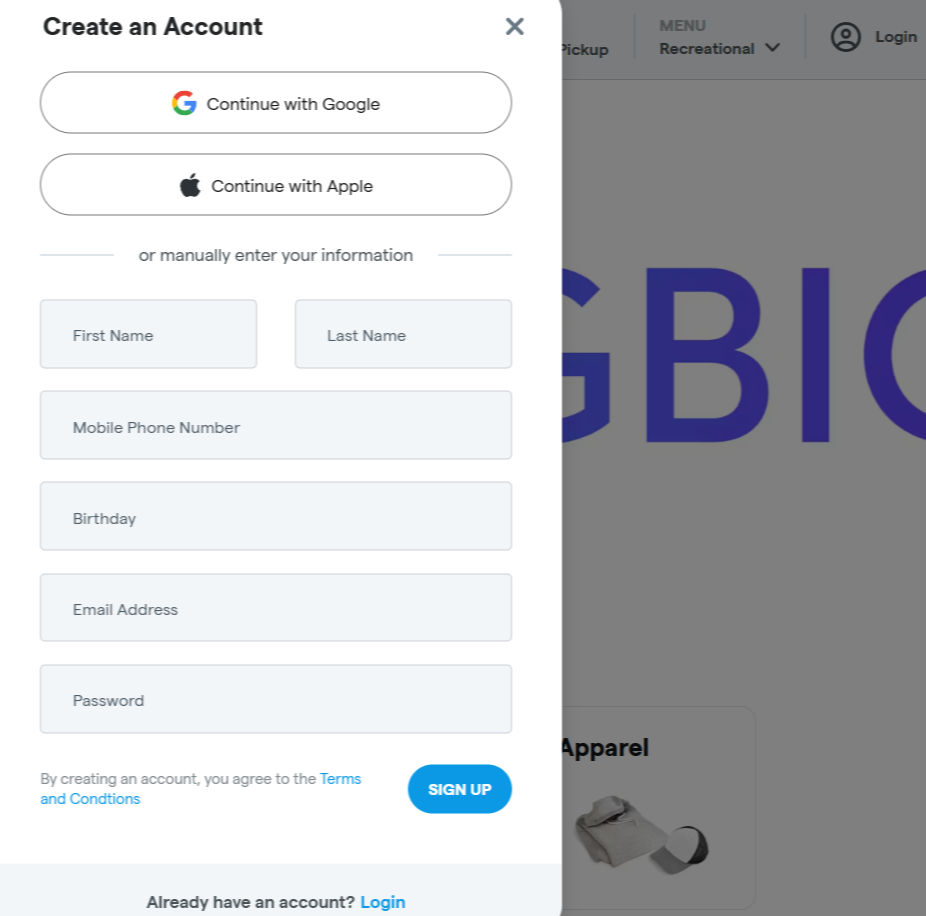
Enrollment
The enroll pop up appears for preexisting Springbig profiles and creates a new log in or users creating a new login that don’t have a profile in either Dutchie ecommerce or Springbig.
1.Direct to the dashboard 2.ClickLoginon the top-right of the page 3.ClickSign Up 4.Continue with Google/Apple or manually enter information and then clickSIGN UP